Author name: NoorMudassir

Google Ads

AI Max for Search Campaigns in 2026

Search advertising used to be simple: pick keywords, write ads, send people to a landing page. In 2026, Google’s AI handles more of that work every month. AI Max for Search campaigns in 2026 sits at the centre of this shift, and Google Ads automation is no longer something advertisers can ignore. What Is AI Max for Search Campaigns? AI Max for Search campaigns is a suite of AI-powered features you switch on inside an existing Google Ads Search campaign. It is not a new campaign type. Your structure, budgets, and Smart Bidding stay in place. Traditional keyword targeting lets you decide exactly which searches trigger your ads. AI Max looks at the intent behind a search, even when it doesn’t match your keywords word for word. Key Features of AI Max in 2026 Search Term Matching AI-driven keyword targeting reaches beyond your keyword list. A keyword like “dental implants” could now match a longer search such as “affordable implants for missing teeth”, if the intent fits. Text Customization Google AI can create headlines and descriptions based on your ads, your landing page, and the user’s search. Text guidelines let you add term exclusions and messaging restrictions to keep copy on-brand. Final URL Expansion Instead of one fixed page, Google can choose the most relevant page on your website for each search. Brand and URL Controls Brand controls let you decide whether ads appear for searches containing specific brand names. URL inclusions and exclusions keep traffic on the pages you want, and locations of interest target by geographic intent. Reporting and Performance Insights You can review search terms, generated text assets, and landing pages in your reports. In October 2026, Search Engine Land reported new columns showing which campaigns use locations of interest, optimized targeting, and brand inclusions. What Changed for Google Ads in 2026 Google took AI Max out of beta on April 15, 2026. From September 1, Search campaigns using campaign-level broad match or automatically created assets began moving to AI Max automatically. The Dynamic Search Ads migration was pushed back to February 2027. Check your account. AI Max vs Traditional Search Campaigns Area Traditional Search AI Max Keyword targeting Based on your keyword list and match types Expands to searches with similar intent Ad creation Written and managed manually AI can generate extra headlines and descriptions Landing page One set Final URL Google can pick the best page Automation Mostly manual Higher, with optional controls Control High Shared with Google’s AI Benefits and Challenges of AI Max AI Max can uncover new search opportunities, improve ad relevance, and save management time. Google’s early testing reported 14% more conversions at a similar CPA or ROAS, but that is Google’s own figure, and independent results vary. Nothing here is guaranteed. The challenges are real, and human supervision still matters: Less manual control over some targeting decisions. Possible irrelevant search traffic and faster budget spend. Landing pages that don’t match the search. AI-generated ad text that needs checking. Poor results if conversion tracking is inaccurate. How to Use AI Max Effectively in 2026 Set a clear goal before turning it on. Fix conversion tracking so the AI learns from real leads and sales. Improve your landing pages because AI can send traffic to any of them. Review search term reports and add negative keywords early. Use brand and URL controls to protect your business. Test first with an experiment before making big changes. The Future of AI-Powered Search Advertising People now search with longer questions and expect direct answers. Advertisers will rely less on exact keywords and more on strong data, quality pages, and clear messaging. Conclusion AI Max for Search campaigns in 2026 rewards advertisers who combine Google’s automation with their own judgement. Set the goals, protect the brand, and let the AI explore. At Digital Sprint, we help businesses build smarter Google Ads strategies that attract the right customers. Sources: Google: Upgrading Dynamic Search Ads to AI Max | Google Ads Help: AI Max for Search campaigns | Google for Developers: AI Max getting started | Search Engine Land: AI Max migration timeline Want to Make Your Advertising Smarter With AI-Powered Google Ads? At Digital Sprint, we help businesses build effective digital advertising campaigns, reach the right audience, and grow their online presence. Grow Your Business with Digital Sprint
Google Ads

Performance Max Campaigns Guide

Introduction Running separate campaigns for Search, YouTube, Display and Shopping takes time. Google’s answer is Performance Max, a single campaign type that can show your ads across Google’s channels. This Performance Max campaigns guide explains how PMax works, what you can control and how to avoid common mistakes. What Are Performance Max Campaigns? Performance Max (PMax) is a goal-based Google Ads campaign type. You provide your conversion goal, budget and creative assets. Google’s AI then decides where, when and to whom your ads appear. One campaign can reach Search, YouTube, Display, Discover, Gmail and Maps. There are no ad groups and no keywords to build, which makes PMax very different from a traditional Search campaign. How Do Performance Max Campaigns Work? PMax uses machine learning and Smart Bidding to predict who is most likely to convert. It combines your assets into many ad variations, tests them and shifts budget towards what works. Your job is to guide the AI with good inputs: accurate conversion tracking, quality creative and helpful audience signals. Creative AssetsAudience SignalsConversion Goals Google AI Performance Max SearchYouTubeDisplay and DiscoverGmailMaps What Are the Key Parts of a PMax Campaign? Asset groups: Themed sets of headlines, descriptions, images and videos. Think of them as mini campaigns, each tied to one product or service. Audience signals: Hints such as customer lists or website visitors that help the AI learn faster. They guide the system rather than limit it. Conversion goals: The actions you want, such as leads, calls or sales. Product feed: For online stores, a Merchant Center feed powers shopping ads. One Performance Max Campaign Asset Group: Service AAsset Group: Service BAsset Group: Service C Headlines and descriptionsImages and logosVideoAudience signal Headlines and descriptionsImages and logosVideoAudience signal Headlines and descriptionsImages and logosVideoAudience signal Performance Max vs Search Campaigns: What’s the Difference? Area Search Campaign Performance Max Reach Google Search Multiple Google channels Targeting Keywords you choose AI plus audience signals Structure Ad groups and ads Asset groups Control High Moderate Best for Specific search intent Scaling conversions What Are the Benefits of Performance Max? Wider reach from one campaign Less manual setup and bidding Faster creative testing Optimisation toward your conversion goals What Mistakes Should You Avoid? Weak tracking: If conversions are measured badly, the AI learns the wrong lessons. Thin assets: Too few headlines or images limit performance. Brand overlap: PMax can capture searches for your own brand. Use brand exclusions and negative keywords where available. Impatience: Give the campaign time to learn before making big changes. How Do You Set Up a Performance Max Campaign? Set up accurate conversion tracking. Choose a clear goal and a realistic budget. Build asset groups around one theme each. Add audience signals from your own data. Review results, search insights and asset ratings regularly. 12345 TrackSet GoalBuild AssetsAdd SignalsReview ConversionsBudget and aimBy themeFirst-party dataOptimise often Conclusion: Is Performance Max Right for You? Performance Max works best when your tracking is solid and your assets are strong. Treat it as a powerful tool that still needs human strategy, regular review and clear guardrails. Google updates PMax controls often, so check Google Ads Help for current features. Want Better Results From Google Ads? Let Digital Sprint set up and manage Performance Max campaigns that are built around your goals and your budget. Explore Our Google Ads Services

Google Ads

Will AI replace traditional PPC advertising?

Introduction AI now sits inside almost every part of Google Ads, from bidding to ad copy. No wonder marketers are asking: will AI replace traditional PPC advertising? The short answer is no. AI is taking over repetitive tasks, but strategy, creativity and business judgement still need people. What Is Traditional PPC Advertising? Pay-per-click (PPC) advertising means you pay only when someone clicks your ad. In the traditional approach, a marketer handles most of the work by hand: Choosing and grouping keywords Setting bids for each keyword Defining audiences and locations Writing and testing ads Reviewing reports and adjusting campaigns It works, but it takes time and constant attention. How Is AI Changing PPC Advertising? AI-powered PPC uses machine learning to automate and improve campaign decisions using real-time data. Today it helps with: Automated bidding: Smart Bidding adjusts bids for every auction. Smart audience targeting: Systems find likely buyers from behaviour signals. AI-generated ad copy: Tools draft headlines and descriptions to test. Predictive analytics: Past data helps forecast which clicks may convert. Budget allocation: Spend shifts towards better-performing campaigns. AI-Powered Google Ads Live optimisation Automated Bidding Audience Targeting Budget Allocation Campaign Analytics Traditional PPC vs AI-Powered PPC: What’s the Difference? Area Traditional PPC AI-Powered PPC Bidding Manual adjustments Automated, real-time Targeting Chosen by the marketer Signal-based and predictive Optimisation Periodic reviews Continuous Speed Slower Very fast Human role Hands-on in every task Strategy and oversight Traditional PPC AI-Powered PPC Manual keyword listsHand-set bidsPeriodic reviewsSlower reaction time Smart audience signalsAutomated biddingContinuous optimisationReal-time adjustments VS Will AI Completely Replace Traditional PPC Advertising? No. AI is excellent at handling data and repetitive tasks, but it does not understand your business goals, profit margins or brand voice unless a person guides it. Imagine a local clinic using automated bidding. The AI can chase cheap clicks, but only a marketer knows which treatments are most profitable and should get priority. Human Expertise Strategy · Creativity · Judgement AI Automation Speed · Data · Scale Better Results Benefits of AI in PPC Advertising Saves time on routine tasks Analyses large datasets quickly Reacts to changes in real time Supports better campaign performance Saves TimeAnalyses DataReal-Time ResponseBetter Performance Less manual workLarge datasets, fastAdapts to changesSmarter optimisation Challenges of Using AI in PPC Limited control: Automation can hide where your budget goes. Data quality: Poor conversion tracking leads to poor decisions. Privacy: Rules on user data keep evolving. Supervision: Campaigns still need regular human review. How Can Businesses Prepare for the Future of PPC? Set up accurate conversion tracking first. Use automation, but review search terms and results often. Test several AI-generated ads and keep the best ones. Focus your time on strategy, offers and landing pages. Work with a team that understands both AI and PPC. TrackAutomateReviewImprove Accurate conversionsSmart BiddingHuman oversightTest and refine Conclusion: The Future of PPC Advertising So, will AI replace traditional PPC advertising? Not completely. The future of PPC is a partnership: AI handles speed and scale, while people bring strategy, creativity and judgement. Businesses that combine both will get the best results. AI + HumanStrategy AnalyticsBiddingCampaignsDashboards Want to Grow Your Business With Smarter Advertising? Let Digital Sprint help you create effective, data-driven PPC campaigns that deliver better results. Explore Our Google Ads Services

Google Ads

Google Ads Trends in 2026: What’s Changing in PPC?

    If you have opened your Google Ads account lately, you have probably noticed that things look different. Google Ads trends in 2026 point in one clear direction: more automation, smarter AI, and a bigger role for your own customer data. That can feel overwhelming, especially for a small business with a limited budget. This guide breaks down what is actually changing, what is already available, and what you can do about it. What Are Google Ads Trends in 2026? Google Ads trends in 2026 are the major shifts shaping paid search and video advertising this year: AI-driven campaign tools, automated bidding, privacy-first measurement, stronger reporting, and more creative automation. Together, they move advertisers from manual tweaking toward guiding the system with good data and clear goals. Major Google Ads Trends in 2026 1. AI in Google Ads Is Now the Default Machine learning now helps with targeting, bidding, and ad creation. For Search, the headline feature is AI Max. It is not a new campaign type. It is a set of AI options you switch on inside existing Search campaigns, such as broader query matching, text customization, and final URL expansion. Example: a local dental clinic could use AI Max to appear for longer, more specific questions like “painless wisdom tooth removal near me”, while still using negative keywords to block irrelevant searches. Google is also pushing ads further into AI-powered results such as AI Overviews, though availability varies by country and account. Place here: after Trend 1, before Performance Max. Image details Prompt: A modern digital advertising dashboard with AI automation, campaign performance charts, targeting analytics and a futuristic marketing interface. Dark premium style, black background, lime green (#CDFF00) highlights, grey (#999999) and off-white (#F2F2F2) details, realistic, clean, no text. Dimensions: 1200 × 675 (16:9) Filename: ai-powered-google-ads-dashboard.webp ALT text: AI-powered Google Ads dashboard showing campaign automation and targeting analytics 2. Performance Max Becomes More Transparent Performance Max runs one campaign across Google’s inventory, including Search, YouTube, Display, Discover, Gmail, and Maps. Its biggest complaint was always limited visibility. Google has been adding channel-level reporting, campaign-level negative keywords, asset testing, and first-party audience exclusions, with some features still rolling out gradually. Example: an online clothing store can finally see whether sales come from Shopping or YouTube, then adjust its creative accordingly. Just don’t run everything on Performance Max. Keeping a separate Search campaign makes problems easier to diagnose. Place here: after Trend 2, before Smart Bidding. Image details Prompt: A professional visual of one integrated campaign dashboard connecting Google advertising channels: search, YouTube, display, Gmail and maps, shown as glowing nodes. Black background, lime (#CDFF00) connection lines, grey and off-white accents, realistic, clean, no text. Dimensions: 1200 × 675 (16:9) Filename: performance-max-campaign-channels.webp ALT text: Performance Max dashboard connecting search, YouTube, display and Gmail ads in one campaign 3. Smart Bidding and Automated Optimization Smart Bidding uses real-time signals like device, location, and time of day to set bids for each auction. Strategies such as Target CPA, Target ROAS, and Maximize Conversions help manage budgets without constant manual changes. The catch: automation learns from your data. If you track the wrong action, such as page views instead of enquiries, it will optimize for the wrong thing. Give it time to learn and avoid changing targets every few days. 4. First-Party Data and Privacy-Focused Advertising Privacy rules and browser changes are reducing third-party tracking, so your own customer data matters more. Consent-based collection, customer lists, and tools like Consent Mode help you stay compliant while keeping campaigns informed. Start simple: collect emails through newsletters or enquiry forms with clear consent, then use that list for audience signals. 5. Video Advertising and YouTube Ads Short, mobile-friendly video keeps growing. YouTube Shorts placements are available through campaign types like Demand Gen and Performance Max. A simple 15 to 30 second clip showing a real customer result often works better than a polished brand film. 6. Conversion Tracking and Measurement Accurate measurement is the foundation of everything above. Enhanced conversions use hashed first-party data, such as email addresses, to improve how conversions are matched. Pair this with Google Analytics 4 so you can compare what Google Ads reports with what happens on your site. Place here: after Trend 6, before Trend 7. Image details Prompt: A modern analytics dashboard displaying automated bidding, conversion tracking, clicks, impressions and campaign performance graphs. Black interface, lime (#CDFF00) chart lines, grey (#999999) grid, off-white (#F2F2F2) details, realistic, clean, no text. Dimensions: 1200 × 675 (16:9) Filename: smart-bidding-conversion-tracking-dashboard.webp ALT text: Analytics dashboard showing smart bidding, conversion tracking, clicks and impressions 7. Responsive Search Ads and AI-Generated Creatives Responsive Search Ads mix your headlines and descriptions automatically. AI tools can now suggest assets and generate variations, and AI Max includes text guidelines so you can steer tone and wording. Always review suggestions before they go live, because generic copy will not set you apart. How Should Small Businesses Respond? Fix tracking first. Clean conversion data makes every AI tool work better. Test, don’t switch everything. Try AI Max or Performance Max on a portion of your budget. Feed the machine. Strong creatives, audience signals, and customer lists matter. Review regularly. Automation still needs human judgment. Pair paid ads with solid SEO and helpful content marketing, so you are not paying for every single visit. Place here: before the conclusion. Image details Prompt: A futuristic digital marketing workspace showing AI-powered advertising, video campaigns, audience targeting and data analytics on multiple screens. Dark premium look, lime (#CDFF00) glow, grey and off-white accents, realistic, clean, no text. Dimensions: 1200 × 675 (16:9) Filename: future-of-paid-advertising-workspace.webp ALT text: Futuristic marketing workspace with AI advertising, video campaigns and analytics screens The Future of Paid Advertising PPC trends in 2026 reward advertisers who combine automation with good data and sound judgment. Features change quickly and rollouts differ by region, so check your own account before building a plan. Still Wondering How to Get More From Google Ads? Our paid advertising specialists help you put these […]

SEO

Internal Linking Strategies to improve SEO Performance

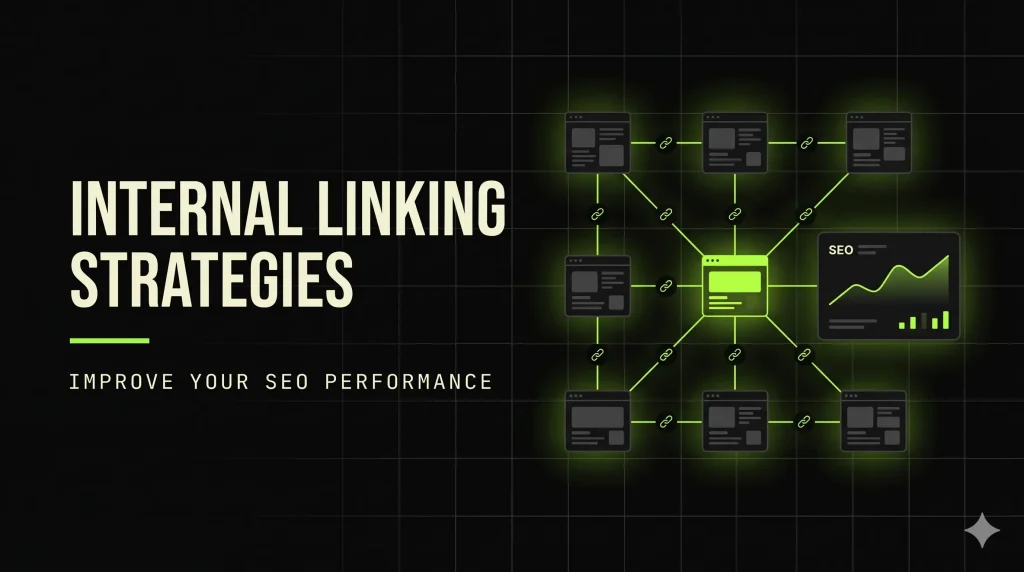
      Have you ever published a great blog post and then watched it sit there with almost no traffic? Often, the content isn’t the problem. The page is simply hard to find. Smart internal linking strategies fix that. They guide both visitors and search engines to the pages that matter most. This guide explains how internal linking in SEO works and how to use it on your own website. What Is Internal Linking in SEO? Internal linking in SEO is the practice of linking one page of your website to another page on the same domain. These links help search engines discover content, understand how pages relate, and pass authority across your site, while guiding visitors to useful pages. For example, if your blog post about keyword research links to your SEO services page, that is an internal link. How is it different from other links? Internal links point to pages on your own site. External links point from your site to another website. Backlinks are links from other websites to yours. HOW INTERNAL LINKING WORKSHOMEPAGESERVICE PAGECATEGORY PAGECASE STUDYBLOG POST Why Is Internal Linking Important for SEO? Internal links for website SEO do several jobs at once: Page discovery: Search engines follow links to find new and updated pages. Better navigation: Visitors reach related content without hunting for it. Link equity distribution: Links help pass authority from strong pages to important ones. Clear structure: They show how topics and pages relate to each other. User engagement: Helpful links keep readers exploring. Top Internal Linking Strategies to Improve SEO Performance 1. Use Descriptive and Relevant Anchor Text Anchor text is the clickable text of a link. Write “keyword research guide” instead of “click here.” It tells users and search engines what to expect. 2. Link to Important Pages from Relevant Content Your service and key category pages should receive links from related articles. A post on content marketing can naturally point to your content services page. 3. Create Topic Clusters and Content Hubs Build one detailed pillar page, then link supporting posts to it and back. This shows depth on a subject. TOPIC CLUSTER STRUCTUREPILLAR PAGESUPPORTING POSTSUPPORTING POSTSUPPORTING POSTSUPPORTING POSTSUPPORTING POSTSUPPORTING POST 4. Build a Logical Website Structure A clear website link structure (Homepage → Categories → Posts) keeps important pages within a few clicks of the homepage. 5. Link New Posts to Existing Articles Whenever you publish, add links to older, relevant posts. Also go back and link older posts to the new one. 6. Find and Fix Orphan Pages Orphan pages have no internal links pointing to them. Add links from related pages so they can be found. 7. Regularly Audit Broken Internal Links Broken links frustrate visitors and waste crawl time. Check for them regularly and update or redirect them. INTERNAL LINKING AUDITSITE CRAWL REPORTBROKEN LINKS12ORPHAN PAGES7LINK OPPORTUNITIES24CRAWLED PAGES/blog/keyword-research-guideOK/old-pricing-pageBROKEN/landing/seo-offerORPHAN/services/content-marketingADD LINKSINTERNAL LINKS 8. Avoid Excessive and Irrelevant Links More isn’t better. Link only where it genuinely helps the reader. 9. Prioritize Important Pages Naturally Give your key pages more relevant links, without forcing them into every paragraph. 10. Use Contextual Internal Links Links placed inside the main content usually feel more natural and useful than links buried in footers. Common Internal Linking Mistakes to Avoid Using generic anchors like “read more.” Adding links to unrelated pages. Leaving important pages with no internal links. Creating broken links after deleting or moving pages. Over-optimizing anchor text by repeating the exact same phrase every time. Linking so much that the page feels cluttered. Best Tools for Internal Linking Analysis Google Search Console (free): Its Links report shows your top internally linked pages. Screaming Frog SEO Spider: Crawls your site to find broken links, orphan pages, and link counts. It has a free version with a crawl limit and a paid license. Ahrefs (paid): Its site audit highlights internal link issues and opportunities. Semrush (paid): Its site audit flags broken links and structural problems. Yoast SEO: A WordPress plugin that suggests related content to link while you write. Some features require the premium version. INTERNAL LINKING BEST PRACTICESHOMEPAGECATEGORY PAGECATEGORY PAGECATEGORY PAGEBLOG POSTBLOG POSTBLOG POSTBLOG POSTBLOG POSTBLOG POSTSTRUCTURE LINKSCONTEXTUAL LINKS How to Create an Effective Internal Linking Strategy List your priority pages, such as services and top articles. Crawl your site to see your current link structure. Group content into topics and choose pillar pages. Add contextual links with descriptive anchor text. Fix broken links and orphan pages. Review every few months and update as you publish. Conclusion Good internal linking is one of the simplest, most controllable parts of SEO. By following internal linking best practices, you help search engines understand your site and help readers find what they need. Review your website structure today, fix the gaps, and keep improving your internal linking as your content grows. Results take time and depend on many factors, but a strong foundation always helps. Want to Improve Your Website’s SEO Performance? A strong website starts with a smart structure. At Digital Sprint, we help businesses strengthen their website link structure, improve internal linking, and build an SEO strategy that supports long-term organic growth. Let’s turn your pages into a connected, search-friendly website. Explore Our SEO Services  

SEO

Why Your Website Is Not Ranking on Google

Why Your Website Is Not Ranking on Google | Digital Sprint You launched the site, shared it everywhere, and waited for the calls to start. Instead, you got silence and very little organic traffic. If you keep asking why your website is not showing on Google, you are far from alone. Why is my website not ranking on Google? Usually because Google cannot index your pages, your content does not match what people search for, or competitors have stronger authority. The good news: most Google ranking problems can be fixed. Are You Targeting the Wrong Keywords? Many owners write for terms nobody searches, or for terms dominated by giant brands. A local dentist trying to rank for “dentist” will struggle. “Emergency dentist near me” is far more realistic. The fix: Use Google Search Console and Google Keyword Planner to find specific phrases that match what your customers actually type. Is Your Content Genuinely Helpful? Thin pages, copied text, and articles that dodge the question rarely rank. Google’s guidance favours people-first content that solves a real problem. The fix: Answer the main question early, add real examples from your business, and refresh old pages so they stay accurate. Keyword research Search volume, keyword difficulty and content optimization KeywordSearch volumeDifficulty emergency dentist near melocal seo checklistwebsite speed testhow to get backlinkstechnical seo errors Good Content score Keyword research shows what your audience really searches for. Technical SEO Errors Holding Your Site Back Technical SEO errors quietly damage rankings. Google uses mobile-first indexing, so a page that is slow or awkward on a phone can drop behind faster competitors. Slow speed and broken links Large images and heavy scripts slow pages down, while broken links frustrate visitors and crawlers. Test your pages with Google PageSpeed Insights, compress images, and fix any 404 errors. Mobile usability If text is tiny or buttons sit too close together, visitors leave. Use a responsive design and check your mobile experience in Search Console. Why Is My Website Not Showing on Google? Check Indexing Google can only rank pages it has indexed. Website indexing problems often come from an accidental “noindex” tag, a robots.txt file that blocks crawlers, or a missing sitemap. The fix: Search site:yourdomain.com to see which pages appear, use the URL Inspection tool in Search Console, and submit an XML sitemap. Technical SEO audit Page speedMobile usabilityIndexingErrors Compress imagesResponsive layoutSitemap submittedBroken links found Fix broken links and 404 pagesRemove accidental noindex tagsCompress large images A technical SEO audit reveals speed, mobile and indexing issues. Do You Have Enough Quality Backlinks? Backlinks work like recommendations. A few links from relevant, trusted websites count for more than hundreds from spammy ones. The fix: Earn links through useful guides, local business directories, guest articles, and digital PR. Avoid buying links, as it can breach Google’s spam policies. Is Your On-Page SEO Missing the Basics? Missing title tags, vague meta descriptions, messy headings, and empty image alt text make it harder for Google to understand your page. The fix: Give every page one clear H1, a unique title tag, a helpful meta description, descriptive alt text, and internal links to related pages. Does Your Website Frustrate Visitors? Confusing menus and pop-ups that cover the content push people away. Google’s guidance specifically warns against intrusive interstitials, especially on mobile. The fix: Keep navigation simple, group pages logically, and delay or shrink pop-ups so visitors can read first. Authority, backlinks and user experience LinkLinkLink Quality backlinks Your website Authority growing Organic traffic Clear navigation HomeServicesBlog Authority, backlinks and a smooth user experience grow organic traffic. Competing Against Bigger Websites Established sites have years of content and links behind them, so competing head-on rarely works at first. The fix: Target long-tail and local searches, build depth on one topic at a time, and stay patient. SEO usually takes months, not days. Conclusion: How to Improve Google Rankings A website not ranking on Google is rarely a single mistake. It is usually a mix of weak keywords, thin content, technical errors, and too few trust signals. Start with indexing, fix technical SEO errors, improve your content, and build authority steadily. That is how to improve Google rankings and turn low organic website traffic into real enquiries. Still Wondering Why Your Website Is Not Ranking? At Digital Sprint, our SEO specialists find exactly what is holding your site back, then fix it with a clear plan to improve visibility, organic traffic, and search performance. Let us look at your website together. Get Your Free SEO Audit

SEO

Keyword Research and Content SEO: A Beginner’s Guide

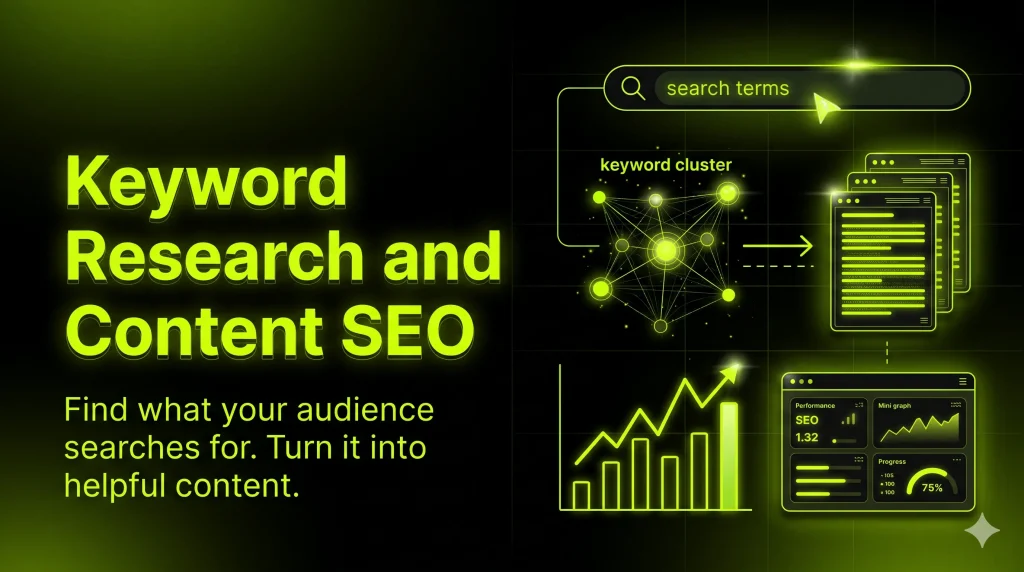
Keyword Research and Content SEO: A Beginner’s Guide Home > Blog > Keyword Research and Content SEO Keyword Research and Content SEO: A Beginner’s Guide By Digital Sprint Many websites publish content regularly but still struggle to attract the right audience. The usual reasons are simple: the topics were chosen by guesswork, the keywords don’t match what people actually search for, or the page doesn’t satisfy the intent behind the search. That is where keyword research and content SEO work together. Keyword research tells you what your audience is searching for. Content SEO turns that insight into clear, helpful, well-structured pages. Without the first, you write blindly. Without the second, good research never becomes good content. This guide explains both in plain language, with practical examples for agencies, local businesses, e-commerce stores, and blogs. As with any SEO work, results depend on competition, content quality, website performance, and authority, so nothing here is a guarantee of rankings or traffic. What Is Keyword Research? Quick answer: Keyword research is the process of finding and analyzing the words and phrases people type into search engines. It matters for SEO because it shows what your audience wants, helps you match search intent, and guides which content to create, so your pages are more likely to reach relevant visitors. In practice, you collect phrases your customers use, such as “SEO services for small business” or “how to choose an SEO agency”, then decide which ones deserve a page, a blog post, or a product description. Why Is Keyword Research Important for SEO? Keyword research supports almost every other SEO decision. It helps you: Understand your audience: you see the real language, questions, and problems people have. Match search intent: you learn whether people want to learn, compare, or buy. Find content opportunities: you spot topics your competitors cover and gaps they miss. Improve relevance: your headings, titles, and copy reflect how people actually search. Attract qualified traffic: visitors who find you through a relevant search are more likely to care about what you offer. Five-step keyword research workflow from audience research to seed keywords, search intent, keyword evaluation, and content planning. Keyword Research Process 1AudienceResearch 2SeedKeywords 3SearchIntent 4KeywordEvaluation 5ContentPlanning A simple keyword research workflow, from understanding your audience to planning content. What Are the Types of Keywords? Short-Tail vs. Long-Tail Keywords Short-tail keywords are brief and broad, usually one or two words. Long-tail keywords are longer and more specific, and they usually show clearer intent. Short-tail Long-tail Example “SEO” “SEO services for small restaurants” Specificity Broad Specific Competition Often higher Often lower, but varies Intent clarity Often unclear Usually clearer Best for Awareness, broad topic pages Blog posts, service pages, niche audiences Long-tail keywords are not automatically “better”. They are often easier to target and more specific, but a very narrow phrase may have little demand. Check each one against your goals. Primary and Secondary Keywords The primary keyword is the main phrase a page targets. Secondary keywords are closely related terms and variations that support it, such as “content SEO strategy” supporting “keyword research and content SEO”. The Four Types of Search Intent Intent What the searcher wants Example Informational To learn something “what is keyword research” Navigational To reach a specific site or page “Google Search Console login” Commercial To compare options before deciding “best keyword research tools” Transactional To take an action or buy “hire SEO agency” Infographic comparing short-tail and long-tail keywords with informational, navigational, commercial, and transactional search intent examples. Keyword Length Search Intent Short-tail Broad, one or two wordsExample“SEO” Long-tail Specific, clearer intentExample“SEO services forsmall restaurants” InformationalWants to learn“what is keywordresearch” NavigationalWants a specific site“Google SearchConsole login” CommercialWants to compare“best keywordresearch tools” TransactionalWants to take action“hire SEO agency” Keyword length and search intent describe different things; use both to choose better keywords. What Are the Best Keyword Research Tools? Features and pricing change, so confirm current details on each tool’s official page before relying on them. Google Keyword Planner: helps discover keyword ideas and see estimated search demand. It lives inside Google Ads and has historically required an account. Google Trends: shows how interest in a topic changes over time and by region. It is free. Google Search Console: shows the queries that already bring visitors to your site, plus clicks, impressions, and positions. It is free and requires site verification. Google autocomplete, “People also ask”, and related searches: free ways to see real phrasing and follow-up questions. Paid SEO platforms (such as Semrush or Ahrefs): typically offer broader keyword databases, competitor analysis, and difficulty metrics. Their numbers are estimates, so treat them as directional, not exact. Generic keyword research dashboard with a keyword list, intent labels, trend chart, and content opportunity panel. Keyword list KeywordIntentDemand Informational Commercial Informational Commercial Interest over time Content opportunity Topic ATopic BTopic CTopic D Topic cluster Keyword tools help you explore ideas, track interest, and spot content opportunities. How to Conduct Keyword Research Step by Step Define your audience and business goals. Who do you want to reach, and what should they do next? Brainstorm seed keywords. List the core topics, services, and products you offer. Discover related search terms. Use autocomplete, related searches, and your chosen tools. Analyze search intent. Search the phrase yourself and see what types of pages appear. Evaluate demand and competition. Use tool estimates where reliable, and judge realistically whether your site can compete. Identify long-tail opportunities. Look for specific phrases with clear intent. Group keywords by topic and intent. Put similar phrases together so one page can cover them. Select a primary keyword and supporting terms for each page. Map keywords to pages. Give each page one clear purpose to avoid competing pages. Review performance and update. Use Search Console to see what works and refine. Worked Example: A Digital Marketing Agency Imagine an agency that wants to reach businesses needing SEO help. Seed keyword: SEO services Related ideas found: SEO services for small business, local SEO for dentists, how to choose an SEO agency, […]

SEO

The Most Important SEO Trends for Search in 2026

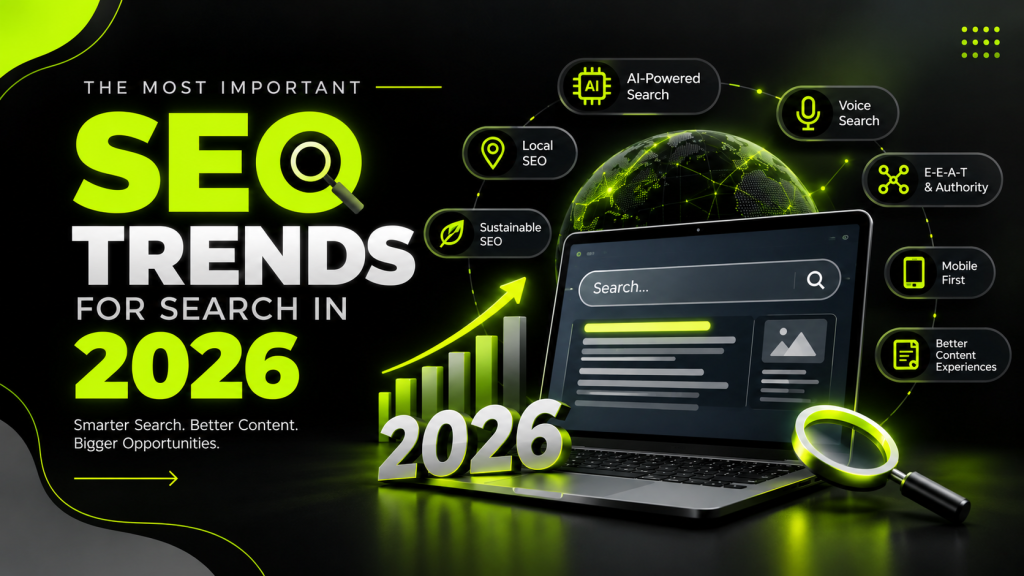
Introduction In 2026, search engine optimization (SEO) is evolving quickly. Artificial intelligence, changing user behavior, and smarter search engines are transforming how websites attract visitors. While traditional methods for SEO like link building and keyword optimization are still crucial, companies today need to concentrate on offering useful content, fostering trust, and enhancing user experience. Google’s AI Overviews, AI Mode, and other AI-powered search experiences are changing how people discover information online. According to Google’s guidance, creating unique, valuable, people-first content and following SEO best practices remain essential for search visibility. In this blog, we will explore the “top SEO trends that will shape search in 2026” and how businesses can prepare for the future. 1. AI-Powered Search and Generative Engine Optimization (GEO) AI-powered search is one of the biggest developments in SEO. Platforms such as Google AI Mode, ChatGPT, and Perplexity help users discover information through conversational answers and summaries. Generative Engine Optimization (GEO) focuses on making your content useful, trustworthy, and easy for AI-powered search experiences to understand and reference. “What should you do?” Provide unique content, address particular queries, cite trustworthy sources, and arrange data using distinct headers. Keep in mind that GEO enhances your SEO strategy rather than taking the place of conventional SEO. 2. High-Quality, People-First Content In 2026, publishing large amounts of generic content is not enough to achieve sustainable rankings. Search engines aim to provide useful information that satisfies users’ needs. Businesses should focus on original insights, practical examples, expert knowledge, and accurate information. AI tools can help with research and content planning, but human editing is essential to maintain quality and originality. “SEO tip:” Write for your audience first. Understand their problems and provide clear, helpful solutions instead of repeating information already available online. 3. Search Intent and Semantic SEO Instead than depending solely on exact-match keywords, search engines are increasingly interpreting the context and meaning of a query. For example, someone searching for “best SEO tools for beginners” may want a comparison, pricing details, and recommendations rather than a simple definition. To improve relevance, identify your audience’s search intent and cover related questions naturally. Use relevant keywords, topic clusters, descriptive headings, and internal links to help readers and search engines understand your content. 4. E-E-A-T and Brand Trust Experience, Expertise, Authoritativeness, and Trustworthiness (E-E-A-T) remain important concepts for creating helpful, reliable content. Websites can strengthen credibility by displaying accurate author information, citing trustworthy sources, sharing genuine experience, and keeping content updated. Building a recognizable brand also matters. Consistent, useful content across your website and other platforms can help people recognize and trust your business. 5. Mobile Experience and Core Web Vitals A smooth website experience remains essential for SEO. Visitors anticipate that pages to load rapidly, function well on mobile devices, and make content easily accessible. Optimize images, reduce unnecessary scripts, use responsive designs, and monitor Core Web Vitals. Fix broken links and ensure important pages can be crawled and indexed. A fast, user-friendly website can improve engagement and make it easier for visitors to explore your products or services. 6. Video, Visual, and Multimodal Search People discover information through videos, images, and other visual formats, not just text. Search experiences are also becoming more multimodal, allowing users to explore topics using different types of inputs. Businesses should optimize relevant images with descriptive file names and useful alt text. Publish helpful videos with clear titles, descriptions, and accurate transcripts where appropriate. Combining written content with useful visuals can improve accessibility and help your audience understand complex topics. How to Prepare Your Website for 2026 Search Engine Optimization Start by reviewing your existing content, researching search intent, improving technical SEO, and publishing original information. Use Google Search Console and analytics tools to monitor impressions, clicks, conversions, and user engagement. Do not chase every new SEO trend blindly. Concentrate on tactics that advance your company’s objectives and offer your audience real value. FAQ 1. What are the biggest SEO trends in 2026? Major trends include AI-powered search, GEO, people-first content, semantic SEO, brand trust, mobile performance, and visual search. 2. Is SEO still important in 2026? Yes. SEO remains essential for helping search engines discover, understand, and present useful website content to relevant audiences. 3. What is GEO in digital marketing? GEO stands for Generative Engine Optimization. It entails enhancing material so that generative AI search experiences can comprehend and possibly refer to it. 4. Will AI replace traditional SEO? No. AI is changing how people search, but technical SEO, quality content, relevant keywords, and user experience remain important. 5. How can beginners improve SEO in 2026? Researching keywords, search intent, useful content, on-page optimization, mobile-friendly design, internal linking, and performance tracking should come first. Know More Conclusion SEO in 2026 is about more than rankings. It is about creating valuable content, building trust, understanding user intent, and making your website accessible across evolving search experiences. Businesses that combine traditional SEO fundamentals with thoughtful AI-search optimization will be better prepared to adapt as search continues to change.

SEO

How to Rank in AI Search (ChatGPT, Gemini & Perplexity): From SEO to GEO

Introduction Search engines are evolving, and people are increasingly using AI tools like ChatGPT, Google Gemini, and Perplexity to find information, compare products, and discover businesses.While traditional SEO is still crucial, organizations also need to think about how AI-generated responses might find and mention their material. This is where **Generative Engine Optimization (GEO)** comes in. By combining SEO, GEO, and AEO strategies, businesses can improve their chances of reaching audiences across traditional search engines and AI-powered search experiences. Describe GEO and explain how it differs from SEO. SEO (Search Engine Optimization) focuses on improving a website’s visibility in search engine results. GEO aims to increase the likelihood that content may be cited in responses produced by AI. AEO (Answer Engine Optimization) emphasizes providing clear, direct answers to users’ questions. These approaches complement one another. Strong technical SEO, helpful content, and credible information provide a solid foundation for AI search visibility. Five Strategies to Make Your Website AI Search-Friendly 1. Create Helpful, Answer-Focused Content Answer real customer questions using clear headings, short paragraphs, and direct explanations. Add relevant FAQs to address common concerns. Avoid unnecessary keyword repetition and focus on satisfying search intent. 2. Build Topical Authority Publish informative articles around your main services and industry. Connect related blog posts using internal links, and support important claims with credible sources. Original insights, expert opinions, case studies, and real examples can help your content stand out. 3. Strengthen Technical SEO Make sure your website allows search engines to crawl and index key content, loads quickly, and functions properly on mobile devices. Use descriptive page titles, meta descriptions, logical heading structures, and relevant image alt text. For ChatGPT search visibility, check that your website does not unintentionally block “OAI-SearchBot” in its robots.txt file or security settings. 4. Use Structured Data Correctly Implement relevant schema markup, such as Article, Organization, and BreadcrumbList, when appropriate. FAQPage schema may be useful for eligible websites, but adding schema does not guarantee enhanced results or AI citations. Always ensure structured data matches visible page content. 5. Publish Original and Trustworthy Information Keep statistics, examples, and references accurate and up to date. Clearly identify your business, authors, and relevant expertise. Share useful content through legitimate industry publications and relevant communities to build brand awareness and credibility. How to Measure AI Search Performance Monitor organic traffic, keyword rankings, engagement, and conversions using Google Search Console and Google Analytics. Test relevant questions in ChatGPT, Gemini, and Perplexity to see whether your website is cited. Track results over time because AI responses can vary between queries. Know More FAQ’s 1. What is GEO in digital marketing? GEO stands for Generative Engine Optimization. Its primary objective is to increase the visibility of website content in AI-generated answers. 2. Is SEO still important for AI search? Yes. Technical accessibility, useful content, indexing, and established SEO practices remain important foundations for AI search visibility. 3. How can my website appear in ChatGPT answers? Publish helpful, trustworthy content, maintain technical SEO, and ensure OAI-SearchBot can access your pages. Inclusion is not guaranteed. 4. Does GEO guarantee traffic or rankings? No. GEO can support discoverability, but rankings, citations, and traffic depend on many factors outside your control. Conclusion The future of search is not simply about ranking on Google; it is also about making your content useful and discoverable across AI-powered platforms. By combining SEO fundamentals with GEO and AEO practices, businesses can build a stronger digital presence and create more opportunities to reach potential customers.

Scroll to Top